winbd68 App vs Website: Pick the Route That Fits Your Day

Start in the mobile browser if you only want to deposit and play. Nothing is installed, and the cashier is the same one the app uses. Install the Android APK when you sign in most days and want alerts plus one-tap access. Open the desktop browser when you are typing bank details for a first or large withdrawal, or watching a long cricket session.

  • 18+ · Play Responsibly
  • bKash · Nagad · Rocket
  • 24/7 Live Chat

Three ways to open winbd68, side by side

Every route reaches the same account, the same 5,900 games and the same cashier. What changes is how many taps stand between you and a bet, and how much of your phone each one borrows.

Same account and balance on all three
Option Install and set-up Opening speed Data use Alerts and quick login What you can play Cashier entry Suits
Android APK Free 32 MB file, Android 7.0 or newer, version 3.1.7 Quickest after the very first launch Caches images, so repeat visits reload less Push alerts, stays signed in Full lobby: 5,900 games, live tables, cricket bKash, Nagad, Rocket and bank inside the app Daily play on one phone
Mobile browser Nothing to install, open and sign in A few seconds on 4G, slower on a weak signal Loads fresh each visit, nothing stored No push, session ends when cookies clear The same 5,900 games and markets Same cashier, same limits First deposit, shared or older phones
Desktop browser Nothing to install, any modern browser Steady on home Wi-Fi Runs on your home line, not mobile data No push, sign in to see updates Everything, with more on screen at once Wide form, easy to check bank digits First withdrawal, long sessions

Android APK: the fastest tap, one extra file

32 MB Version 3.1.7 Android 7.0+ Free

The APK is the full site packed into a 32 MB file that lives on your home screen. Android 7.0 or newer is enough to run it, and the build we ship today is version 3.1.7. After the first launch, the icon opens straight into your balance instead of a login page. On a mid-range phone the gain feels small at first and quite obvious by the second week.

What works well

  • One tap from the home screen, and the screen you were on is still there
  • You stay signed in, so no password typing on a moving bus
  • Push alerts when a reload bonus or cashback lands
  • Images are stored on the phone, so repeat visits load less every time
  • The same 5,900 games, live tables and cricket markets as the browser

What to keep in mind

  • You install and update a file, which takes a minute on a slow line
  • A phone below Android 7.0 cannot run the current build
  • A new phone means installing again and signing in again

Who it suits: you open the site most days, you keep one phone, and you would rather tap an icon than type a web address. It also helps if you check your balance several times a day, because it is always one tap away.

Mobile browser: nothing to install, same wallet

No install Any browser Same cashier

Open the site in Chrome or any other browser on your phone and you are inside in seconds. Nothing is saved except a cookie that keeps you signed in for a while. For most first-time players in Bangladesh this is the simplest start, because a bKash, Nagad or Rocket deposit works exactly the way it works in the app, with the same ৳300 minimum.

What works well

  • No install, no update, no space taken from your storage
  • Runs on older Android phones that cannot load the current APK
  • Same account, same bonuses, same 5,900-game lobby
  • Fine on a shared or borrowed phone, since nothing stays once you sign out
  • Easy to move to a laptop later, because the login is the same

What to keep in mind

  • You find the address or the bookmark every single time
  • No push alerts, and the session ends when cookies are cleared
  • A dropped signal means reloading the page and starting again

Who it suits: anyone trying the site for the first time, anyone whose phone has little free space left, and anyone who plays on a handset that is not only theirs.

Desktop browser: bigger board, easier typing

No install Widest view Keyboard entry

A laptop or desktop browser gives you the widest view of the site. The lobby grid, an open bet slip and the cashier form can sit side by side without any scrolling sideways. Nothing is installed here either, so you can sign in on a work laptop and sign out again without leaving a trace.

What works well

  • The biggest screen for comparing cricket markets and live tables
  • A keyboard for bank details, which matters on a large withdrawal
  • No battery worry and no mobile data spent on the session
  • Two tabs work nicely: one for the lobby, one for the cashier

What to keep in mind

  • It stays on the desk, so it is no use on the way to work
  • No push alerts, you catch up on bonuses when you sign in
  • On a shared computer, sign out and clear the browser afterwards

Who it suits: players who plan a session at a desk. That means a long T20 match, a first withdrawal with documents to upload, or a deposit large enough that you want to read every digit twice before you confirm.
Which setup fits your week?

Five situations players actually ask us about, and the route we point them to.

  • You have never deposited before

    Mobile browser

    Open the site, register, then send ৳300 or more from bKash, Nagad or Rocket. A deposit usually lands in about a minute, so you can see the balance change before you place anything. If a step confuses you, live chat is open 24/7 and you do not have to install anything to ask.

  • You play most evenings on the same phone

    Android APK

    Install once and the lobby is one tap away for good. Push alerts tell you when a reload bonus or cashback is ready, and you stay signed in between sessions. The file is free and only 32 MB, which is small enough for a modest data plan.

  • You are making your first withdrawal

    Desktop browser

    The first payout can take up to 2 hours because your documents are checked, which usually happens within 24 hours. Send your National ID, passport or driving licence and type your bank details on a keyboard, where a wrong digit is easier to spot. The minimum withdrawal is ৳1,500.

  • Your phone is old or nearly full

    Mobile browser

    Skip the download. A phone below Android 7.0 cannot run the current build, and a phone with little free space will nag you about updates. The browser version plays the same games with the same balance and leaves your storage alone.

  • You follow a whole cricket session at home

    Desktop browser

    A big screen keeps the market list, your open bets and the cashier visible at once, so you are not swiping between pages while a bowler runs in. Keep the phone on the app for alerts and use the laptop for the actual placement.

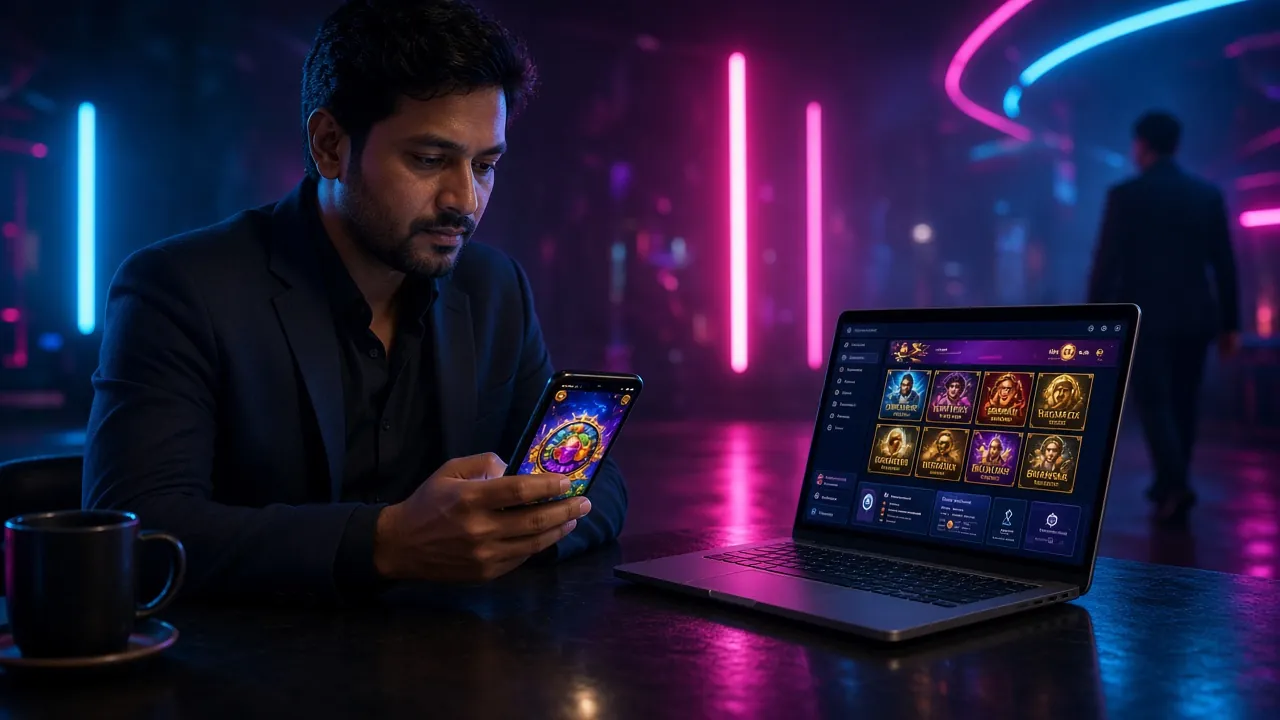
Player comparing the winbd68 lobby on a phone and a laptop at the same table
Most players end up with two routes: the app in the pocket, the browser on the desk.

From download to first deposit

Four steps that cover both routes, so you only do the work once.

  1. 1

    Get the file, or just open the site

    Download the APK from the app page if you want the icon on your home screen. Allow the install when your phone asks, and check that you are on Android 7.0 or newer. If you would rather not install, type the address into your mobile browser and carry on to step two.

  2. 2

    Register or sign in once

    One account covers the app, the phone browser and the laptop, and the balance follows you between them. Registering takes a short form; after that, the same username and password work everywhere.

  3. 3

    Deposit from bKash, Nagad or Rocket

    The minimum is ৳300 and money usually arrives in about a minute. The first deposit also unlocks the 230% welcome bonus up to ৳12,000, which carries 9x wagering. Read the terms on the bonus page before you claim it.

  4. 4

    Send your first withdrawal the right way

    Documents are needed before your first payout: a National ID, passport or driving licence, checked within 24 hours. That first one can take up to 2 hours; later withdrawals are usually around 12 minutes, up to ৳70,000 a day on the base tier.

App or browser: the questions we get most

Do I need the app to play?

No. The browser version runs the full lobby, the same 5,900 games and the same cashier. The app is a convenience, not a requirement, and every game you can open on a phone screen is there in the browser as well.

Where do I get the APK, and what does it cost?

It is free and comes from our own app download page, not from a random file-sharing link. The current build is version 3.1.7, 32 MB, and needs Android 7.0 or newer. Allow installs from your browser when the phone prompts you, and the icon appears on your home screen.

Can I use one account on both?

Yes. Sign in with the same username and password on the app, the phone browser and a laptop, and the balance and open bets follow you. You are not opening a second wallet, so nothing has to be moved between devices.

Does the app make withdrawals faster?

No. Every route uses the same cashier, so a normal withdrawal lands in around 12 minutes whichever one you pick. Your first one can take up to 2 hours because documents are checked, which usually clears within 24 hours. What the app changes is how quickly you get to the form, not how fast money moves.

Which route uses less mobile data?

For a single visit, the browser is lighter because nothing is downloaded in advance. For daily play, the app usually wins over a week, since images stay cached on the phone instead of loading fresh each time. On home Wi-Fi the desktop browser costs you no mobile data at all.

The APK will not install. What now?

Check three things: your Android version is 7.0 or newer, you have 32 MB free, and your browser is allowed to install apps in phone settings. Restart the phone and try the file again. If it still fails, use the mobile browser for now and ask live chat, which is open 24/7.

One winbd68 account, three ways in

Register once and choose your route afterwards. Your first deposit from bKash, Nagad or Rocket starts at ৳300 and unlocks the 230% welcome bonus up to ৳12,000, with 9x wagering on top. Install the APK later if you want the icon, or keep the browser open on the laptop.

Playing on more than one device

Sign out of the browser when you finish on a shared laptop or a friend's phone; the app keeps its own session on your handset. Set a daily deposit limit if you play from both. This page is for adults aged 18 and over, and gaming should stay a paid-for hobby, never a way to solve money problems.